Did you know that you can become involved in disease reporting and monitoring across the state? Thanks to a new tool from the Crop Protection Network, producers, crop consultants, and homeowners can report disease sightings on a variety of crops across the state.
Why Report?
Reports provided by those involved in the production of crops allow for more intense tracking of crop diseases across the state, ensuring that diseases are not under-reported or missed completely. With diseases like Southern Rust, Red Crown Rot, and Tar Spot posing severe threats to South Dakota crop fields, it is important to ensure that we know the actual distribution of these diseases each year.
Reported information remains anonymous, and only counties with confirmed disease detections are displayed on tracking maps such as the Crop Protection Network’s Tar Spot Tracking Map.
How to Report Disease Suspects
Step 1 - Access reporting Tool
Visit the Crop Protection Network website and look for the option to Report a Sighting for Crop Lookout (Figure 1). Once selected, you will be directed to a new page where you’re able to confirm the state you’re making a report for.

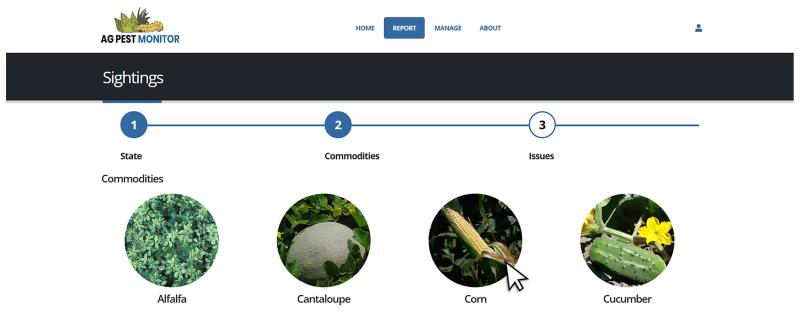
Step 2 - Select Commodity
After selecting South Dakota, you should see a page similar to Figure 2 below. From this page, you can select the crop you have a suspect disease sample on. For the purposes of this demonstration, we will be using Corn.
Step 3 – Select Crop Issue
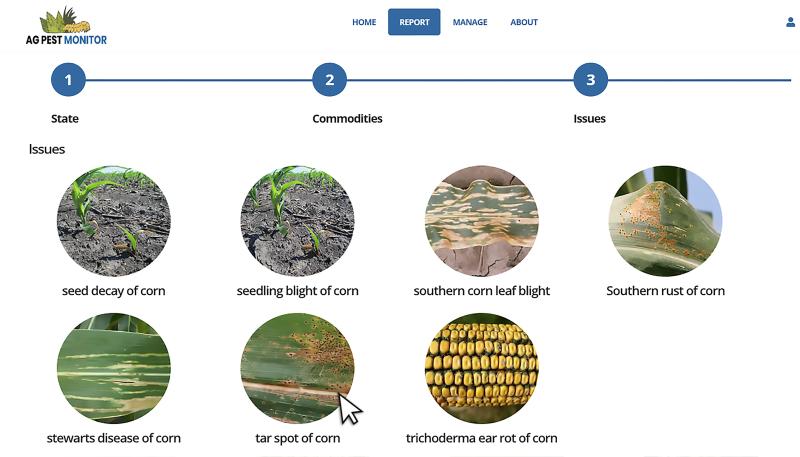
Once you have selected your desired commodity, you will be taken to the Issues page for that crop. For the purpose of this demonstration, we will be using the issue of Tar Spot (Figure 3).
Step 4 – Enter Location
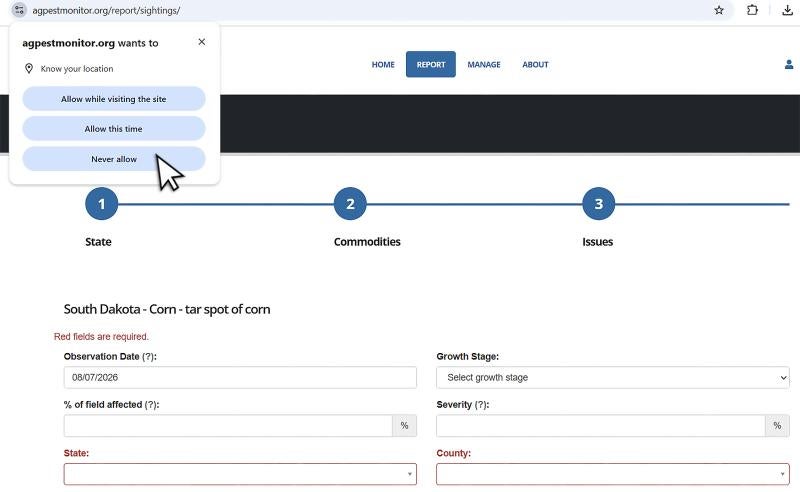
Once you select your crop issue, the next screen will ask for your location information (Figure 4). If you choose to enable location services, a GPS point will be generated. You can also chose not to allow location services and enter locations manually. For this demonstration, we ignored location services and began entering information manually.
Step 5 - Complete Report
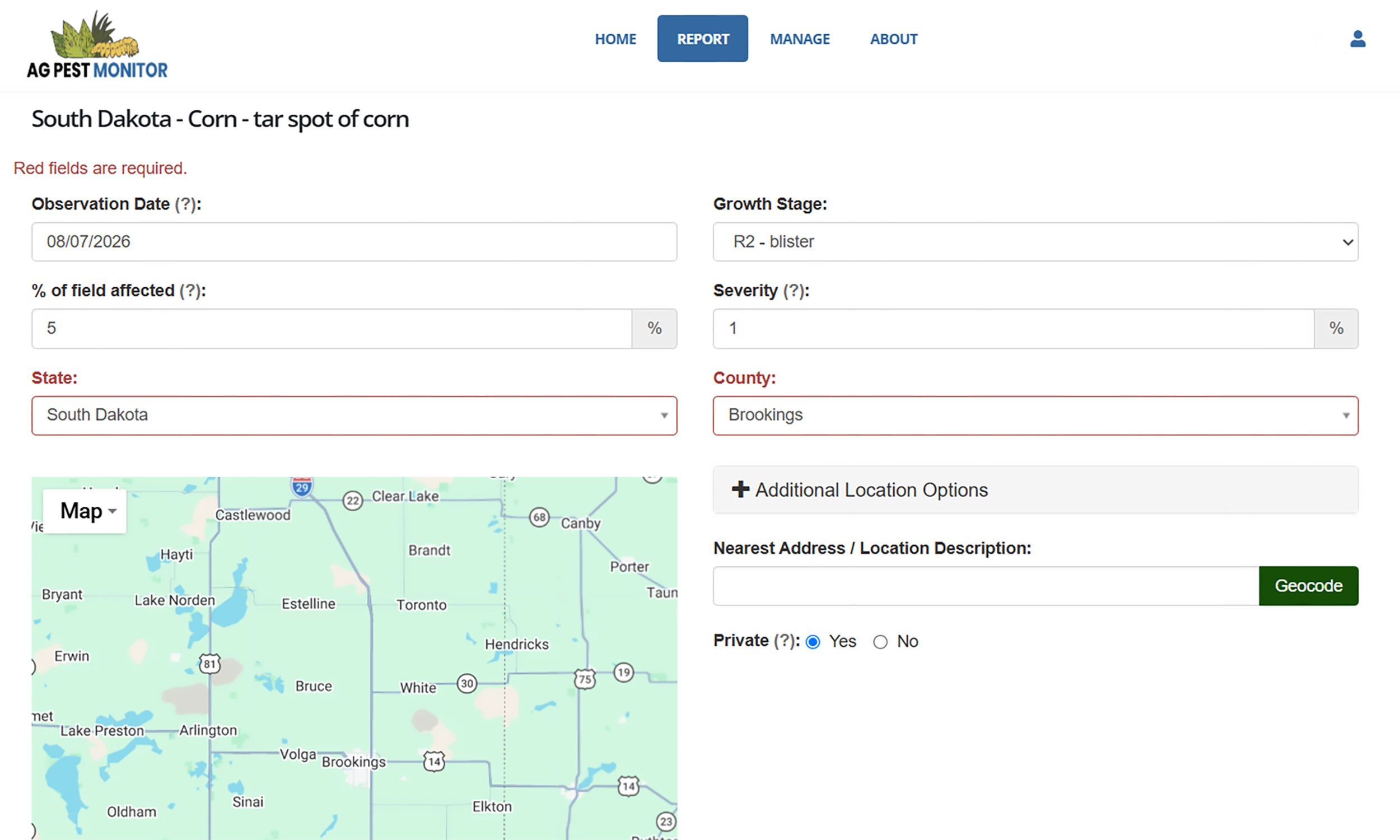
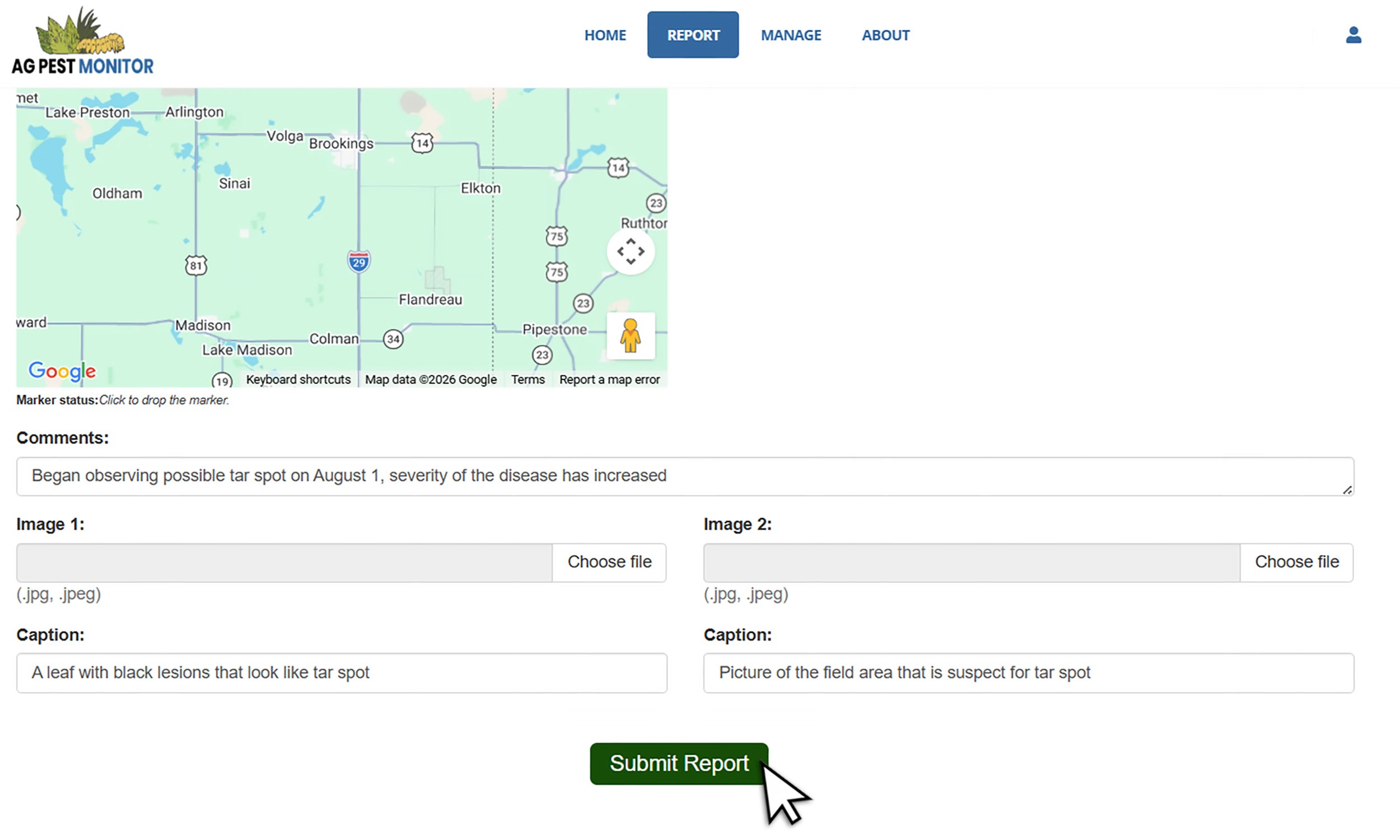
Complete the reporting form, including your location and crop information (Figure 5). You can also upload images of the impacted crops and add any useful comments you might have (Figure 6). While the only information required for these reports is state and county, the more information provided, the better our identification will be to confirm the report. Photos also allow us to visually confirm the disease from these reports. Once you’ve completed the form, click the Submit button to send your report (Figure 6).
What happens with information provided on the report?
The information provided is solely to verify disease reports and, when necessary, request the submission of samples to be submitted to the Plant Diagnostic Clinic on campus. It is not used for any other purpose. Access to submitted information is restricted to verified Extension Staff (such as Dr. Shires) who use the information only for disease confirmation and follow-up.
Where and how to submit samples?
As always, samples can be delivered in person or mailed to the Plant Diagnostic Clinic. Additional information is available on the SDSU Plant Diagnostic Clinic website. The clinic is located in Room 203 of Berg Agricultural Hall. During regular business hours, samples may be dropped off at the front desk along with a completed diagnostic submission form.
For after-hours or weekend submissions, samples can be left in Berg Hall Room 001. This room is located by the north entrance to the building. If you leave a sample in Room 001, please complete one of the paper submission forms available in the room. During warm weather, samples should be placed in the refrigerator to help preserve their quality until they can be processed.
For questions and more information, please contact Maddi Shires, Connie Strunk, or the Plant Diagnostic Clinic.